
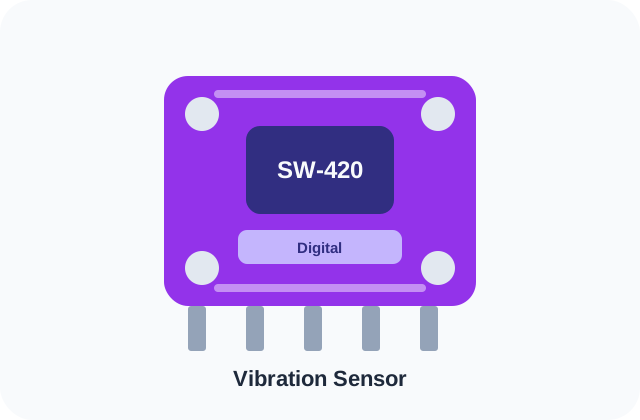
SW-420 Vibration Sensor
Low-cost vibration trigger module for impact and tamper demos.
AI Ready Overview
Quick Summary
SW-420 is a vibration sensor commonly used in FYP and embedded projects. It is best for tamper alert and impact trigger, with wiring and testing planned around Arduino, ESP32.
Difficulty
Beginner
Time Required
1-3 days for basic wiring and sample code; 1 week if used inside a complete FYP prototype
Cost
RM3-RM10 module range in Malaysia; full project cost depends on scope.
Components
SW-420, Arduino, ESP32
Overview
What is SW-420?
SW-420 modules detect vibration or impact as a digital trigger. They are useful for simple tamper alerts, crash demos and machine vibration awareness prototypes.
Engineering Reference
Quick Specs
| Operating Voltage | 3.3V / 5V |
|---|---|
| Interface | Digital |
| Difficulty | Beginner |
| Typical Malaysia Price | RM3-RM10 |
| Best For | Tamper alert, Impact trigger |
Real Usage Notes
Suitable / Not Suitable
Suitable for
- ✓ Tamper alert
- ✓ Impact trigger
- ✓ Simple vibration detection
Not suitable for
- ✕ Accurate vibration analysis
- ✕ Bearing fault diagnosis
- ✕ Frequency measurement
Build Planning
Difficulty
SW-420 is rated Beginner. Plan around 1-3 days for basic wiring and sample code; 1 week if used inside a complete fyp prototypedepending on wiring, libraries, calibration, dashboard/app integration and testing evidence.
Build Planning
Time Required
1-3 days for basic wiring and sample code; 1 week if used inside a complete FYP prototype
Malaysia Price Guidance
Cost
Typical module price range: RM3-RM10. This is component guidance only; a complete FYP cost depends on controller, sensors, casing, display, app/dashboard, documentation and timeline.
Connections
Connection overview
Power
Use only a supply supported by the exact board or module variant. Common listings for this part mention 3.3V or 5V.
Ground
Connect a common ground between the controller, module and any external supply.
Primary interface
Plan for Digital; confirm the exact terminal names in the manufacturer documentation.
Variant-specific connections
Connector names and optional pins can differ between breakout-board revisions.
Platform Notes
Wiring Guides
SW-420 with Arduino / ESP32
This is a planning overview, not a board-specific pin map. Confirm the exact module revision, supply limits and Digital terminals in its datasheet before wiring. Use suitable level shifting when logic voltages differ.
| Power | Confirm against the exact board; listed variants commonly use 3.3V / 5V |
|---|---|
| Ground | Common ground with the controller |
| Interface | Digital (exact pins vary by module) |
Fix Common Problems
Troubleshooting
Troubleshooting
Common Mistakes
FYP Ideas Using SW-420
Related Projects
Compare Options
Alternative Components
Student Questions
FAQ
Is SW-420 good for FYP projects?
Yes, SW-420 is suitable for FYP work when the project matches its limits: Tamper alert and Impact trigger.
What is the most common SW-420 mistake?
Claiming precise vibration measurement